
.png)
Description
Download Coggler – AI‑Powered Podcast Search & Interaction Tool
Overview: Transforming Podcast Consumption with AI‑Driven Transcription
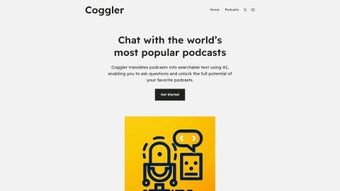
Podcasts have become a cornerstone of modern learning, entertainment, and news dissemination. While the audio‑first format offers flexibility, it also creates a challenge: locating a specific piece of information can require scrubbing through minutes of playback. Coggler solves this problem by turning any podcast episode into a fully searchable, editable transcript powered by advanced artificial intelligence. The platform creates a time‑coded transcript, links each sentence to the exact audio timestamp, and adds a natural‑language query engine that lets users type questions in plain English. The result is an interactive experience where a single query can jump you straight to the relevant moment, saving countless hours of manual note‑taking.
Built as a web‑application, Coggler requires no bulky downloads or operating‑system‑specific installers. Users simply visit the site, upload an audio file or paste a podcast URL, and watch as the AI processes the content in minutes. The transcript appears instantly, offering click‑to‑play functionality, a built‑in summarizer, and the ability to highlight, annotate, or export the text. Accessibility is baked into the design: a clean, high‑contrast interface supports users with hearing impairments and those who prefer reading over listening.
Security and privacy are equally important. All uploads travel over TLS 1.3 encryption, and transcripts are stored only for the duration of the session unless the user chooses to save them in a personal library. The cloud infrastructure complies with GDPR and CCPA, ensuring data never leaks to third parties. Regular updates improve transcription accuracy, expand language support, and introduce new productivity features, making Coggler a future‑proof solution for the rapidly evolving podcast ecosystem.
Key Features & Capabilities
Coggler combines a robust set of features that turn passive listening into an active research workflow. The AI transcription engine leverages state‑of‑the‑art speech‑to‑text models to deliver near‑human accuracy, while the natural‑language search lets you ask questions just as you would a colleague. Each feature is designed to be intuitive, secure, and scalable, catering to both casual listeners and enterprise users who need to process large volumes of audio content.
- AI‑Powered Transcription: Converts audio into highly accurate, searchable text in seconds.
- Natural‑Language Query Engine: Ask questions in plain English and receive instant answers linked to the exact audio timestamp.
- Interactive Playback: Click any transcript line to jump directly to that part of the episode.
- Summarization Tools: Generate concise episode overviews for quick reviews.
- Multi‑Language Support: Handles over 15 languages with continuous expansion.
- Accessibility‑Focused Design: Text‑only view for hearing‑impaired users and those who prefer reading.
- Secure Cloud Processing: End‑to‑end encryption and temporary storage protect user privacy.
- Personal Library: Save transcripts, highlights, and notes for future reference.
- Cross‑Platform Web App: No installation required; works on any modern browser.
- Continuous Learning: AI models improve with each transcription, delivering higher accuracy over time.
In addition to these core capabilities, Coggler offers bulk‑upload options for power users, a RESTful API for integration with existing workflows, and collaboration features that let teams share searchable transcripts via public links. Whether you are a student preparing for an exam, a journalist hunting for a quote, or a marketer analyzing competitor podcasts, Coggler equips you with the tools needed to extract value from every spoken word.
Installation, Usage & Compatibility Guide
Getting Started – No Download Required
Because Coggler is fully web‑based, the onboarding process is as simple as opening a browser and navigating to coggler.com. Create an account using an email address, Google, or Apple ID, then log in to access a clean dashboard with three primary actions: “Upload Podcast,” “Paste URL,” and “Browse Library.” The interface is responsive, ensuring a seamless experience on desktops, laptops, tablets, and smartphones.
Uploading and Transcribing
To transcribe an episode, click “Upload Podcast” and select an MP3, WAV, or M4A file, or use “Paste URL” to provide a direct link from platforms such as Spotify, Apple Podcasts, or Google Podcasts. Once the source is confirmed, Coggler’s AI begins processing. A progress bar shows real‑time status, and an email notification is sent when the transcript is ready. Each sentence is automatically timestamped, enabling the interactive playback feature.
Searching, Highlighting & Exporting
The searchable transcript appears in the main panel. Enter a natural‑language query—e.g., “What did the host say about remote‑work trends?”—and Coggler highlights the most relevant passage, linking it to a 30‑second audio snippet. Users can highlight sections, add personal notes, or export the transcript as PDF or plain‑text. Saved items are stored in the personal library and sync across devices.
System Requirements & Operating System Support
Coggler runs entirely in the cloud, making it compatible with any operating system that supports a modern web browser. It works flawlessly on Windows 10/11, macOS Ventura, Linux distributions, Chrome OS, as well as Android 9+ and iOS 13+ devices. The only prerequisite is a stable internet connection (minimum 3 Mbps) and a browser with JavaScript and HTML5 support (Chrome, Firefox, Edge, or Safari). For users who prefer a desktop‑only experience, an optional Electron wrapper is available for Windows, macOS, and Linux, providing offline storage of previously saved transcripts.
Updates & Support
Coggler receives monthly updates that introduce new language packs, speed optimizations, and feature enhancements such as bulk‑upload and API extensions. All users automatically access the latest version upon login, ensuring a secure and up‑to‑date experience. Support is available via live chat, email, and a comprehensive knowledge base.
Pros, Cons, FAQ & Final Thoughts
Pros
- Fast, accurate AI transcription saves hours of manual effort.
- Natural‑language search makes finding specific content effortless.
- Interactive playback bridges text and audio seamlessly.
- Fully web‑based—no heavy installations or OS limitations.
- Strong focus on accessibility for hearing‑impaired users.
- Secure, encrypted processing with temporary storage.
- Multi‑language support expands global usability.
- Personal library and sharing features enhance collaboration.
- API and bulk‑upload options for enterprise workflows.
- Regular updates keep the platform future‑proof.
Cons
- Requires a stable internet connection; offline transcription is not available.
- Free tier limits transcription minutes per month.
- Very long podcasts (over 3 hours) may take longer to process.
- API access is restricted to paid plans.
- Audio quality heavily influences transcription accuracy.
Frequently Asked Questions
How accurate is Coggler’s transcription?
Coggler leverages state‑of‑the‑art speech‑to‑text models that achieve up to 96% accuracy on clear, studio‑recorded audio. Accuracy may drop slightly with background noise, heavy accents, or low‑bitrate recordings, but the system continuously learns and improves with each transcription.
Can I use Coggler on mobile devices?
Yes. Coggler is fully responsive and works on any modern smartphone or tablet running Android or iOS. The web interface adapts to smaller screens, and native apps (available in the App Store and Google Play) provide the same transcription and search capabilities.
Is there a free version of Coggler?
Coggler offers a free tier that includes up to 30 minutes of transcription per month, basic search, and the ability to export transcripts. Paid plans start at $9.99 / month and provide unlimited minutes, API access, and priority support.
How does Coggler protect my data?
All uploads are encrypted with TLS 1.3 during transfer, and transcripts are stored on secure servers that automatically delete the data after 48 hours unless you choose to save it to your personal library. Coggler complies with GDPR and CCPA regulations.
Can I integrate Coggler with my existing podcast workflow?
Absolutely. Coggler provides a RESTful API and webhooks that allow you to automate transcription of new episodes, sync transcripts with content management systems, or embed searchable snippets directly into your website.
Conclusion & Call to Action
In an era where audio content is exploding, Coggler emerges as the bridge that turns passive listening into active research. By delivering fast, accurate transcriptions, a powerful natural‑language query engine, and an intuitive, accessibility‑first interface, Coggler empowers anyone—from students cramming for exams to journalists chasing quotes—to extract maximum value from every podcast minute. The web‑based delivery model eliminates platform barriers, while robust security and regular AI updates keep the experience reliable and future‑proof.
Whether you aim to boost productivity, make podcasts more inclusive, or simply enjoy a smarter way to discover information, Coggler is the tool that makes it possible. Download Coggler today, start a free trial, and experience the next generation of podcast interaction. Your next insight is just a question away.
Coggler delivers a seamless blend of AI transcription and interactive search that feels like having a personal research assistant for every podcast. The free tier is generous enough to test its capabilities, and the premium plans are competitively priced. Minor drawbacks—such as reliance on internet connectivity—are far outweighed by the productivity gains. Highly recommended for anyone who treats podcasts as a knowledge source.
Guides & Tutorials for Coggler
How to install Coggler
- Click the Preview / Download button above.
- Once redirected, accept the terms and click Install.
- Wait for the Coggler download to finish on your device.
How to use Coggler
This software is primarily used for its core features described above. Open the app after installation to explore its capabilities.
User Reviews for Coggler 0
No reviews found




